I now start most coding sessions in the Codex desktop app.
A few months ago, I wrote about shipping with Claude Code. That post describes the setup I had then: multiple Ghostty panes, several git worktrees, Claude doing implementation, Codex and Gemini checking the work, browser automation for UI testing, and a fair amount of manual coordination. It worked. I was the coordination layer.
Disclosure: I work at OpenAI, and I have shipped a few small PRs into Codex. I am writing here in a personal capacity. Anthropic provides me with a complimentary Claude Code Max account, and I am grateful for it. Claude Code is still an excellent tool, and I still use it daily for some tasks. The category is moving quickly. The workflow below is the setup I was using in June 2026; the availability timeline is updated through July 1.
I mostly switched because Codex now gives me one place for the pieces I use every day: threads, worktrees, diffs, terminals, browser checks, queued follow-ups, automations, and voice input. It feels more like a developer workspace than a chat window, and at the volume I work, having all of it in one window cuts a lot of day-to-day friction.
That volume is high enough that small workflow problems show up fast. In the 30 days I tracked for this post, my coding-agent usage averaged more than 3 billion tokens a day. The number sounds absurd, and most of it is cached input: the same repo context read again and again across dozens of parallel threads. I track it as a measure of how much work is moving through the tool, not what I'm spending. At that volume, the dull operational stuff is what decides the day: whether approvals interrupt me, whether I trust the review surface, whether a stopped thread picks back up cleanly.
Part of that volume comes from how I had Codex configured in June: agents.max_threads = 48 and agents.max_depth = 3. Those are a dated snapshot of my local setup, not current recommendations. The docs now call the first setting agents.max_concurrent_threads_per_session, retain agents.max_threads as a legacy alias, no longer publish a numeric default, and no longer document agents.max_depth. Read the current docs before changing any of these settings. My configuration burns context fast, and it turns weak task boundaries into expensive, noisy fan-out. I get away with it because my work is mostly small, bounded checks running side by side, and I can still see enough to review each one.
GPT-5.5 was the other half of making that volume manageable in June. I used it as my default in Codex during that period. OpenAI says it uses significantly fewer tokens on the same Codex tasks, which at my volume can mean fewer limit walls. I haven't benchmarked the claim myself, and GPT-5.5 is priced higher per token than GPT-5.4, so fewer tokens does not automatically mean a lower bill. I treat it as an efficiency claim, not a cost estimate.
How the workflow changed
The Codex app shipped on February 2, 2026. April 16 was the update that made it my default: that release finally fit enough of my workflow inside the app. Roughly how it came together:
- The early app gave me the parts I now live in: threads, worktrees, diffs, terminals, and screenshots.
- April 16 added the rest of the core: supervised computer use, an in-app browser, PR review, SSH, and multiple terminals.
- Late April and May filled in GPT-5.5 in Codex, browser use against local servers, automatic review for eligible approvals, Codex for Chrome, and a safety write-up on sandboxing, approvals, network policy, and telemetry.
By the end of that stretch, the workflow I cared about lived in one app instead of spread across panes and notes.
Once I had more than one agent going, the overhead was orientation: reconstructing which branch each task was on, whether tests had run, which diff I was looking at, which screenshot was current, whether I'd already warned the agent about some edge case. The desktop app helped because I could inspect any one task without rebuilding the whole picture every time I switched context.
On a typical day I might have four agents going at once: one worktree fixing a flaky test, one thread reviewing an open PR, one trying a UI change against a local server, and one clicking through the app to see whether the change actually works. I move between them, reading diffs, approving commands, and killing the ones that have wandered off. Each is a single thread: a prompt, a work summary, the changed files, and a review action.
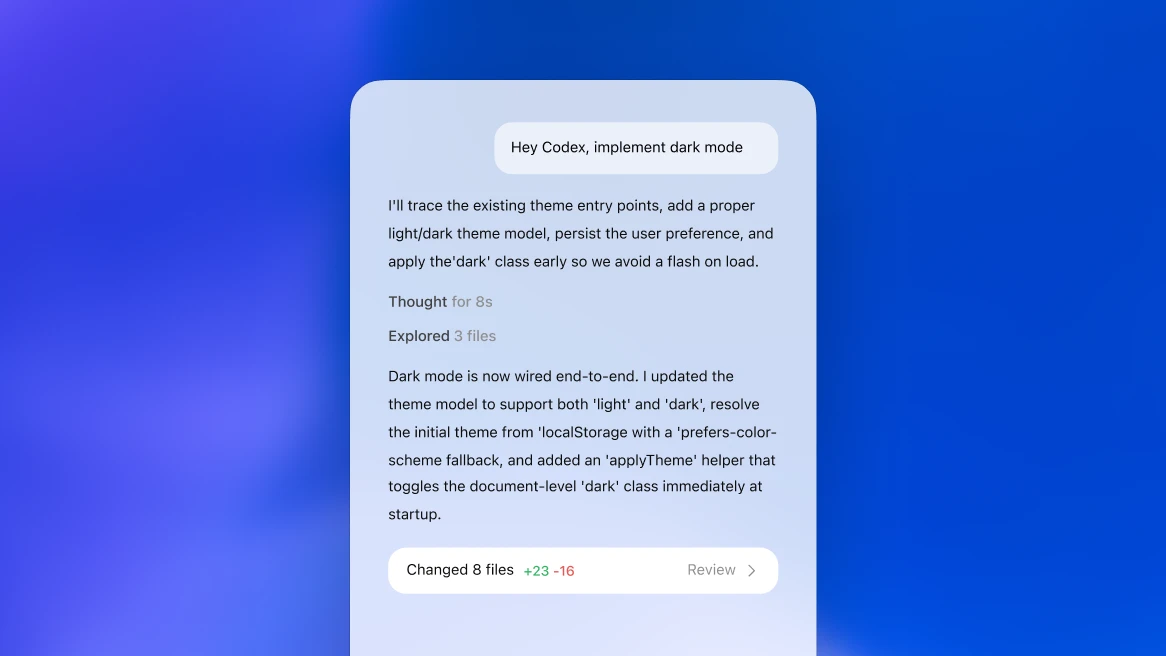
The screenshots here are official product images. My own workspaces are full of private code and internal context, and they're a lot messier than the product renders.
State and boundaries
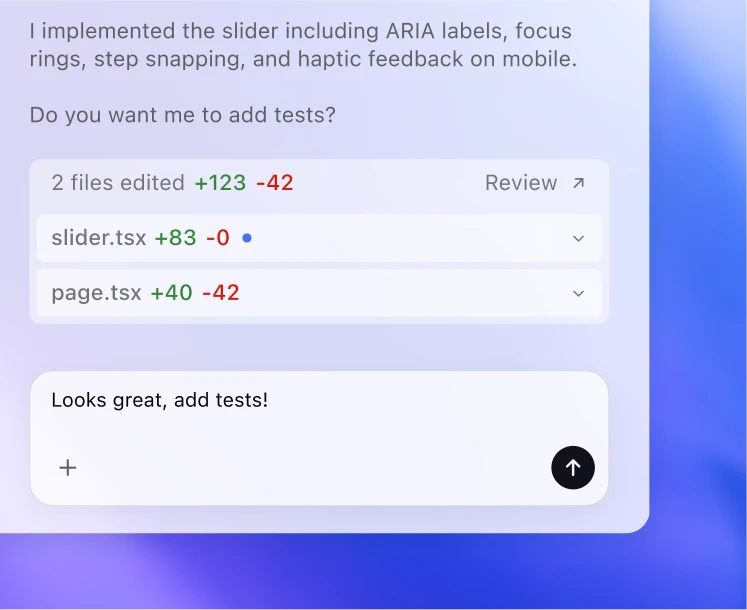
Most of what the app buys me is keeping parallel work straight. I can see what each agent is doing in its own thread, the diffs and terminals are a click away, and queued follow-ups let me correct a thread without stopping it. When I spot a fix mid-task, I queue the instruction and keep going, rather than waiting for the agent to finish so I can interrupt.
I used to approximate this with terminal panes, naming conventions, and notes to myself, which meant holding the whole map in my head: which pane was which, which branch went with which task, what I'd already verified, what I still needed to say. The specific UI is beside the point. What I needed was for that state to live somewhere other than my memory.
Worktrees as a unit of work
Worktrees are where the isolation actually comes from. They were already central to my Claude Code setup, letting me run several tasks against one repo without them stepping on each other. What Codex changed is that spinning up a worktree and pinning it to a thread got easy enough that I started scoping tasks around them. Now a task is a bundle: a thread, its worktree, the diff, and whatever I ran to verify it.
Before I hand something off, I ask whether it makes a good worktree. A good one has a clear goal, a reviewable diff, a way to confirm it worked, and a way to back out if it didn't. If I can't describe those last three up front, the task usually isn't ready. I also like that a worktree is disposable. An agent can try an approach, I can look at what it did, and if it went sideways I throw it away without touching anything else.
Long-running threads
Long threads hold up better in Codex than they used to for me. I've had one stay useful for most of a day, and the win is simply returning to it without rebuilding the context each time. Those sessions are mostly the same loop on repeat: implement, watch a test fail, patch, check the UI, summarize, go again. Over a day, the thread becomes a running log of everything that happened.
That changed how I prompt. On short tasks I still over-specify. On long ones I give Codex the goal, the constraints, and what "done" means, then correct it as it goes.
Voice and automations
Two smaller wins round out the day, and I'd miss both.
Voice input caught me off guard, and not because it's faster. It lowers the friction of adding context. When I type, I tend to leave out the details I actually care about: what we already tried, why the last attempt failed, what I expect to break, how I plan to check it. Speaking, I get those in first and clean up the transcription after, and the instructions come out better for it.
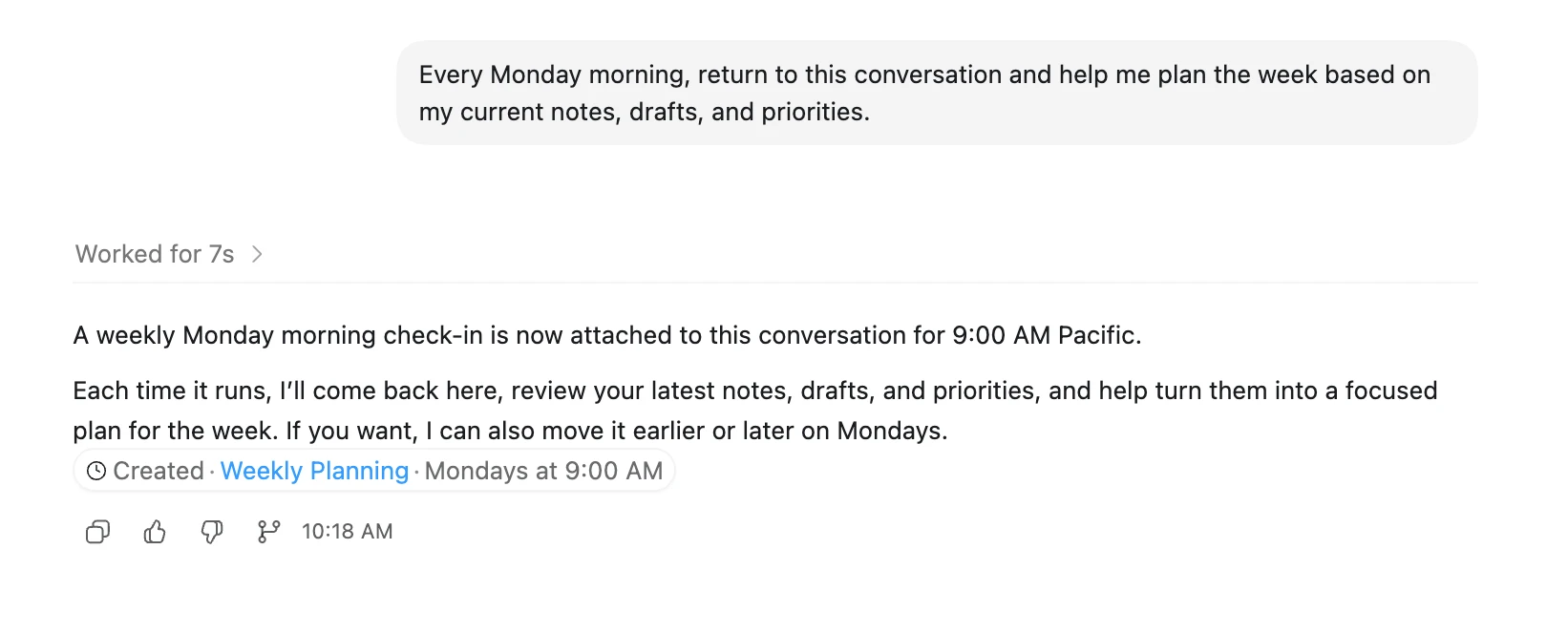
Automations handle the other end — the work I'd otherwise forget. I use them for recurring checks I want delivered like an inbox: which PRs are stuck, whether this branch still passes, regressions in flows I always forget to test, docs that have drifted. They run in the current project or a separate worktree and drop findings into Triage, so the agent keeps working between my sessions. A lot of real engineering work is repetitive and easy to defer, and automations absorb it.
Browser and computer use
Browser and computer use are the most useful of these features, and the ones I'm most careful with. I split them across three surfaces: the in-app browser for local previews and public pages; Codex for Chrome, the browser extension, for signed-in work that needs my actual profile; and supervised computer use for GUI tasks outside the browser. Keep local QA in the in-app browser. Signed-in sites need tighter approvals and allowlists, because that's a live session you're handing over. Desktop access is the one I watch hardest, since it drives the real app with real permissions. (At the April launch, computer use was macOS-only.)
Background QA is the case I lean on most. I have one thread implement a change while another opens the local preview, clicks through it, and reports the states that look wrong. That gives me a second pass without pausing the implementation: a screenshot, the step that failed, and a diff to review. Outside QA, computer use suits the awkward jobs that are too tedious to do by hand but too small to build a tool for: bulk cleanup in a bad web UI, a fiddly testing flow, pulling signal out of an interface that fights you.
Security is the real catch. The moment an agent can read and act on content, that content becomes part of your attack surface. The realistic threat is prompt injection through ordinary material: a PDF, a spreadsheet, a PR description, a browser tab, or an email thread can each carry instructions to an agent that holds tools. A signed-in page is effectively your account, and desktop access widens the blast radius. Under supervision, with tight scope and a human watching, it's worth it. The sandboxing, approval, and network controls are what move these features from demo to daily use.
Limits and rough edges
Some of this was just operational. Over April, the Claude Code tradeoffs got more visible to me: quota and rate-limit behavior, the third-party harness policy, tokenizer changes, a few incidents. Some I hit myself; some I'm taking from public reports. Anthropic raised Claude Code limits on May 6, which is good for users.
Codex has its own rough edges. High subagent counts burn tokens fast, background work can spray into noisy checks, and the browser and computer-use features need careful permissions. The app has more surface area than a terminal-first tool, so I spend more time deciding which surface should own a task. And once agents were running all day, the unglamorous details started to govern everything: whether the cache behaves, whether permissions are right, whether branches stay isolated, whether a stopped thread resumes cleanly. I watch those far more closely than I did a few months ago.
Where Claude Code still fits
I still reach for Claude Code for second opinions, for terminal-first work, and for the workflows I'd already built around its commands and project memory. Plan Mode is still a good discipline on bigger changes: read first, write the plan, then build against it. And I still like Claude's Chrome workflow for quick interactive checks.
The Claude side has moved since I started writing this, too. On June 9, Anthropic shipped Claude Fable 5, the public release of its Mythos line and its strongest model yet on software-engineering benchmarks, easily good enough to make me re-run this comparison. Three days later, a US export-control directive barred access by any foreign national, inside or outside the country, and Anthropic could not draw that line selectively, so it disabled Fable 5 and Mythos 5 for every customer rather than only the restricted ones. Opus 4.8 and earlier were unaffected, so Claude Code itself kept running; only the frontier model was out of reach. Mythos 5 came back for a set of US organizations on June 26, the controls were lifted on June 30, and Fable 5 returned globally on July 1 across Claude.ai, Claude Code, and the Claude Platform. I won't read anything grand into that. I pick tools I can actually rely on, and day-to-day availability counts for about as much as a benchmark score.
Where this nets out
So the claim is a modest one. Claude Code helped me build this workflow; Codex is currently a better place to run most of it. No single feature tipped the balance. It was getting everything into one place, from visible threads to resumable sessions, instead of stitching it together across panes and notes. I hand-coordinate far less than I used to.
None of this replaces the part I keep for myself. Agents can write the code, run the tests, and summarize what they did, but I still read the diff and decide what ships. The more agents I run, the more scaffolding I want around them: mostly tests and firm approval boundaries, so a bad run can't get far. The payoff is simple: I can attempt more in parallel without losing the plot.
Sources
- Introducing the Codex app - OpenAI's February 2, 2026 launch post for the desktop app, with a March 4 update noting Windows availability
- Codex for (almost) everything - OpenAI's April 16, 2026 product update covering broader computer use, more plugins, PR review, memory preview, SSH, multiple terminals, and the expanded workspace direction
- Introducing GPT-5.5 - OpenAI's April 23, 2026 model release, including GPT-5.5 availability in Codex and token-efficiency claims for Codex tasks
- Codex changelog - official Codex release notes, including GPT-5.5 in Codex, browser use, automatic approval reviews, Codex for Chrome, CLI 0.129.0, and CLI 0.130.0
- Codex app features - official features documentation for threads, worktrees, diffs, terminals, voice dictation, the in-app browser, and computer use
- Codex app automations - official automations documentation covering recurring tasks, worktree execution, and Triage
- Codex app computer use - official computer use documentation, permissions, and safety guidance
- Codex Chrome extension - official documentation for using Chrome with Codex, including website approvals, allowlists, blocklists, browser history, and data handling
- Subagents - official subagent documentation, which now documents
agents.max_concurrent_threads_per_sessionwithagents.max_threadsas a legacy alias, publishes no numeric default, and cautions that subagent workflows consume more tokens than comparable single-agent runs - Running Codex safely at OpenAI - OpenAI's May 8, 2026 write-up on sandboxing, approvals, network policy, managed configuration, and agent-native telemetry
- Higher usage limits for Claude and a compute deal with SpaceX - Anthropic's May 6, 2026 announcement of higher Claude Code and Opus API limits
- Tell HN: Anthropic no longer allowing Claude Code subscriptions to use OpenClaw - public discussion of the third-party harness policy change
- Pro Max 5x quota exhausted in 1.5 hours despite moderate usage - public discussion of quota burn and cache behavior
- Introducing Claude Opus 4.7 - Anthropic's release notes on tokenizer and effort-level changes
- Introducing Claude Fable 5 and Claude Mythos 5 - Anthropic's June 9, 2026 release of Fable 5, the public version of its Mythos line, with state-of-the-art software-engineering benchmarks and built-in safeguards; a July 1, 2026 update on the same page notes both models are available again
- Statement on the US government directive to suspend access to Fable 5 and Mythos 5 - Anthropic's June 12, 2026 notice that a US export-control directive covering any foreign national, inside or outside the United States, forced it to disable both models for all its customers to ensure compliance; all other Anthropic models were unaffected
- Redeploying Claude Fable 5 - Anthropic's June 30, 2026 notice that the export controls were lifted, that Mythos 5 had been restored for a set of US organizations on June 26, and that Fable 5 would return globally on July 1 across the Claude Platform, Claude.ai, Claude Code, and Claude Cowork
- Claude status - incident history for Claude.ai, Claude Code, and API availability